YOUR CHOICE
SMS Consent
SMS Consent (KooKooBox)
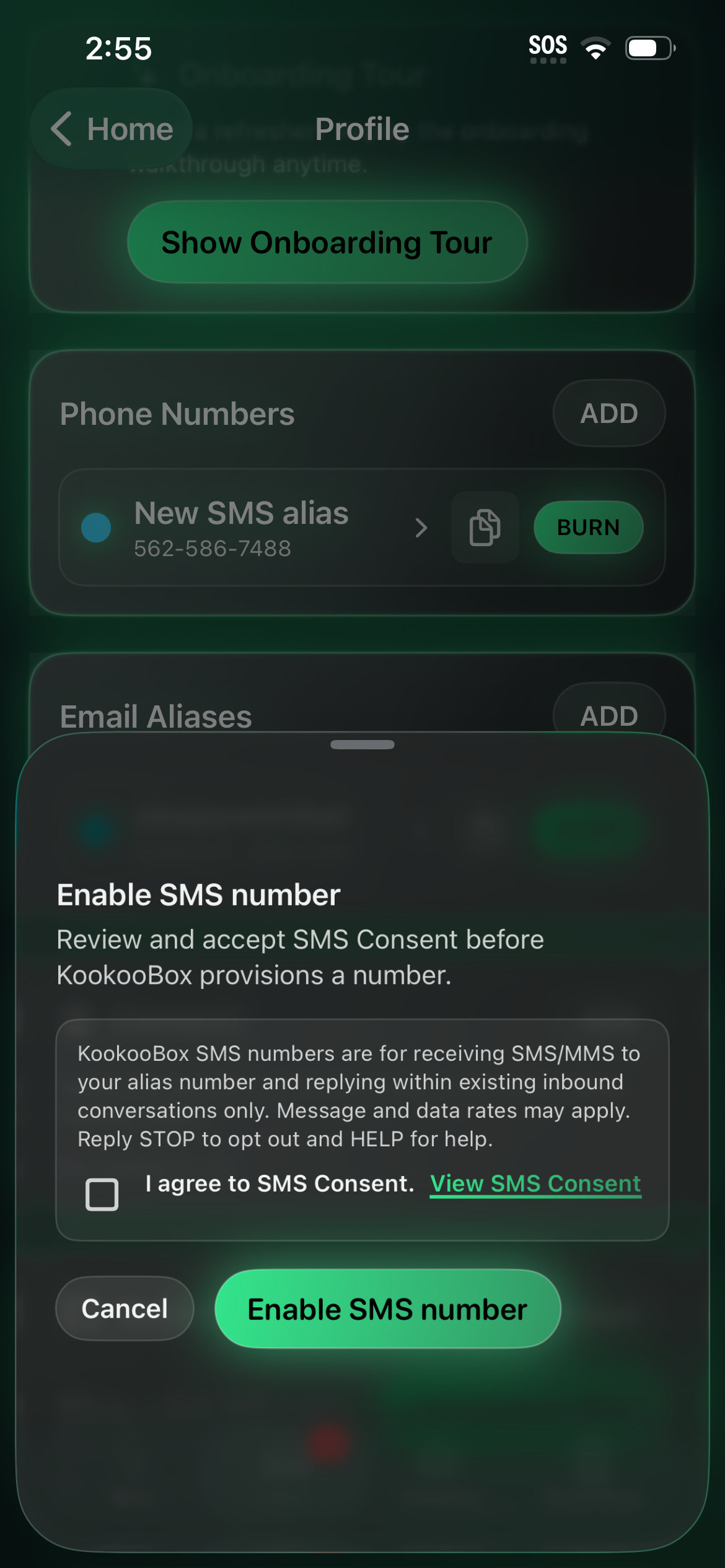
By enabling SMS messaging in KooKooBox, you agree to receive SMS/MMS messages to your SMS alias number.

Reply Relay (Template‑Only): If Reply Relay is enabled, KooKooBox may route your replies through platform‑managed relay numbers from a shared pool to help mask your real number. You may reply only within existing inbound conversations and may not initiate new outbound SMS conversations through the Service. Replies are limited to pre‑approved templates and digits‑only inputs (no free‑form typing) and cannot include links (URLs) or phone numbers.

Message frequency may vary. Standard message and data rates may apply. Reply STOP to opt out. Reply HELP for help. Consent is not a condition of purchase.

We do not sell or share mobile information, SMS/MMS opt‑in data, or consent with third parties for their marketing or promotional purposes.

Terms: https://kookoobox.com/terms/
Privacy: https://kookoobox.com/privacy/
Support: support@kookoobox.com

In‑app consent capture: Users must accept this consent screen in the KooKooBox app before SMS messaging (and Reply Relay, if enabled) can be activated.
WHEN ENABLED
Vonage Reply Relay — Conversational Proxy Message Flow
Business: Lake County Electronics LLC d/b/a KooKooBox
The existing SMS alias workflow described above remains a separate Telnyx service. Existing Telnyx aliases are not part of the shared Vonage relay-number pool. The following KooKooBox Reply Relay workflow applies only when the feature is enabled.
How the message flow works
- A third party initiates the conversation by texting a KooKooBox Reply Relay number.
- Receiving the inbound message does not automatically send any outbound SMS.
- The incoming message appears in the KooKooBox user’s app.
- The user selects a permitted reply.
- The app shows the complete outbound message or ordered messages for review.
- The user explicitly approves sending.
- The response returns to the third party through a platform-managed Vonage relay number.
- The relay number protects the KooKooBox user’s personal phone number.
- Users cannot initiate unsolicited conversations through Reply Relay.
Reply Relay flow
- Third party sends first
- Vonage Reply Relay number receives the message
- Message appears in the KooKooBox app
- User selects and reviews a reply
- User explicitly approves
- Relay number sends the approved reply to the third party
Consent mechanism: Other
A third party initiates the conversation by texting a KooKooBox Reply Relay number.
The KooKooBox user may reply only to that inbound message.
No unsolicited outbound messages are sent.
The relay number acts as a proxy between the parties.
Approved registration samples
Sample Message 1 — ordinary reply
Sample Message 2 — two-message automated response flow
Sample Message 2 represents two separate SMS messages sent in order. The app presents both messages together for one user approval. Message 2 is submitted only after provider acceptance of Message 1 is recorded. Message 2 is the user’s exact selected response and is not modified with branding or compliance language.
Branding rule
The first Reply Relay response in a new conversation or on a new UTC calendar day includes KooKooBox branding. Later replies in the same conversation on the same UTC calendar day do not repeat the branding. This avoids interfering with exact responses such as YES, NO, or a single digit.
Keywords and suppression
- For 10DLC Opt-Out Assist, STOP is recognized as a standalone inbound keyword.
- The word STOP appearing inside a longer sentence does not trigger an opt-out.
- An inbound standalone STOP suppresses further Reply Relay sending to that recipient within the KooKooBox user’s account, including protection across the shared Vonage relay-number pool.
- An outgoing selected response such as START or UNSTOP does not remove suppression.
- Suppression may be cleared only by a valid inbound re-opt-in keyword after that keyword is configured and approved.
- HELP returns the registered customer-support response.
- Keep the registered keyword set to the required minimum unless Vonage approves additional keywords.
Status: Reply Relay and the workflows described in this section apply only when the feature is enabled. This page does not state or imply that Vonage outbound sending is live, that the campaign is approved, or that Opt-Out Assist is active.